
Quick answer
Explain every protection option, the excess or deductible, the security deposit and the card hold on your car rental website in plain sentences, with real amounts, before the renter reaches the reservation form. Repeat the totals on the confirmation. Describe only what your contracts and insurer allow, and confirm the wording with your insurer and your state or national consumer regulator before publishing.
Key takeaways
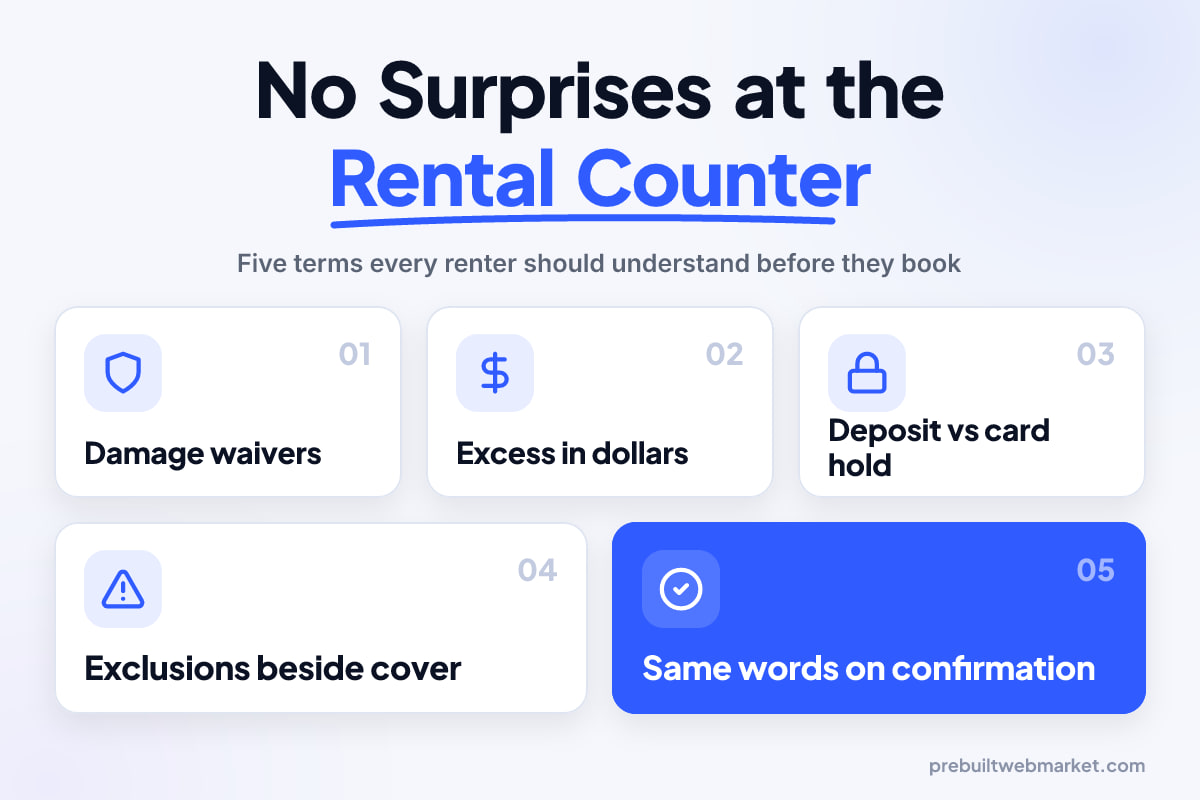
- Most counter arguments start with one of four words: waiver, excess, deposit or hold. Define each one on your website before the renter books.
- Show the excess or deductible as a dollar figure for each vehicle class and each protection option, not as a percentage or a phrase like "standard excess applies".
- Treat the security deposit and the card hold as separate entries: one is your policy, the other is how the card network handles the money.
- List what the damage cover does not include, such as tyres, glass, underbody and unauthorised drivers, in the same place as what it does include.
- Never describe a waiver as insurance, or tell a renter their own cover is enough, unless your insurer has approved that exact wording.
- Put the protection summary on the rates page, beside the reservation form and in the confirmation email, with the same words each time.
In this article
- How to use this guide
- Damage waivers: CDW and LDW
- The excess, or deductible
- Protection tiers and excess reduction
- Liability cover for other people and property
- Personal accident and personal belongings cover
- What the cover does not include
- The security deposit, or bond
- Card holds and when the money comes back
- Cover the renter may already have
- Damage inspections and charges after the rental
- Car rental website insurance, explained in one place
- What to leave off the website
- Which ones you need first
- Questions to ask your web provider about your car rental website
- Your next step
- Frequently asked questions
Car rental website insurance explained well comes down to one habit: every protection option, the excess or deductible, the security deposit and the card hold is defined in a plain sentence, with a real amount, before the renter reaches your reservation form. If a renter first hears the word “excess” from the person handing over the keys, the website has already failed.
This matters more in car rental than in almost any other local trade because the money at stake on the day is often larger than the rental itself. A renter who booked, say, a $45-a-day compact can find a hold of several hundred dollars on their card and a counter offer for extra cover they do not understand. Some will pay out of fear, some will walk away, and some will leave a review about hidden fees. A clear website will not remove the decision, but it moves it to the moment the renter is calm, comparing options at home, rather than tired at an airport counter with a queue behind them.
How to use this guide
This guide is a reference, one entry for each term a renter meets between your fleet page and the keys, so you can decide what your car rental website needs and brief any web provider without guessing. Each entry says what the term usually means, when you need to explain it, and what a good explanation looks like on the page.
Read the entries for what you actually offer and skip the rest. A small local fleet with one included damage option needs the waiver, excess, deposit and hold entries. An airport operator selling tiered protection needs nearly all of them. An exotic rental company like the one shown in our Las Vegas exotic rental demo needs the deposit and exclusions entries more than anything else, because the vehicle values are high and the rules are stricter.
One rule sits above every entry. This is about how to explain your products on a web page, not legal or insurance advice. Rental damage waivers, liability cover and add-on insurance are regulated differently from state to state in the United States, and in Australia car hire terms fall under national consumer law. Your insurer and your state or national consumer regulator decide what you may offer and how it must be described. The website describes what your contract says, in plainer words.
Damage waivers: CDW and LDW
A damage waiver is usually your agreement not to charge the renter for some or all damage to, or loss of, your vehicle, as long as they keep to the rental terms. In the United States it is commonly called a collision damage waiver (CDW) or loss damage waiver (LDW), where “loss” adds theft. In Australia the same idea is more often sold as damage cover or an excess reduction.
The word that causes trouble is “insurance”. Many renters assume a waiver is an insurance policy. In many rental agreements it is not: it is a contractual promise from you, the rental company. Whether you can sell one, what you may charge and how you must describe it depends on where you operate, so this is the first question for your insurer.
When you need this entry
You need it if you sell any optional damage product, or if damage cover is built into your rate. Renters compare your price with the big brands and with online travel agents. If your rate includes a waiver and theirs does not, say so plainly on the rates page, or you lose the comparison without anyone noticing why. Each of the car rental demos includes a rates page you can use as a starting point.
What good looks like on the page
A good waiver entry fits in four short lines:
- The name you use, exactly as it appears on the agreement.
- What it does, in one sentence: “Reduces what you pay if the car is damaged or stolen to the excess shown below.”
- The price per day and any maximum per rental.
- The conditions that cancel it, linked to the exclusions entry.
Use the same name everywhere. If the rates page says “Damage Protection”, the reservation form says “CDW” and the agreement says “Loss Damage Waiver”, a renter can fairly believe those are three different products.
The excess, or deductible
The excess is the most a renter pays towards damage to your vehicle under a given protection option, and it is the single most important number in this whole guide. Australians say “excess”. Many Americans say “deductible”, “damage responsibility” or “your financial responsibility”. Choose the word your market uses, define it once, and then stop switching terms.
A renter cannot judge any protection option without this number. “Reduce your excess” means nothing until they know what the excess is now and what it becomes.
Show it as dollars, per class
Publish the excess as a dollar figure for each vehicle class and each protection level. Avoid “standard excess applies” and avoid percentages of vehicle value, which renters cannot work out at a glance. If the excess changes for drivers under 25, for one-way hires or for specific vehicles, show the change beside the figure rather than burying it in the policies page.
The W3C’s Understanding Reading Level guidance makes a point that applies directly here: when text becomes complex, provide a version that is easier to understand. An excess explained as a dollar amount, with one example, is that easier version.
A worked example, labelled as one
Owners often find it easier to write this entry with a worked example. Here is an illustrative one, not taken from any real company:
- Basic cover (included): excess of $3,000 on a mid-size SUV.
- Reduced excess (extra daily charge): excess of $500.
- Zero excess (higher daily charge): excess of $0, subject to the listed exclusions.
The renter can now see what each option buys. Replace every figure with your own, from your own agreement, before anything goes live.
Protection tiers and excess reduction
Protection tiers are bundles that lower the excess in steps, usually priced per day, and they are where most counter disputes begin. The renter has to choose quickly, and the names sound alike. A website that sets out the tiers calmly, before the trip, takes the pressure off everyone.
Keep the tiers to the ones you sell
List only the tiers you actually offer, in the same order every time, from least cover to most. Give each tier a name, a daily price, the excess it leaves and what else it adds, such as glass and tyre cover or roadside assistance. Three tiers are easier to choose between than five.
Present tiers without pressure
On the website, avoid pre-ticked boxes, countdown timers and lines like “most renters choose full cover” unless you can prove it. Make the cheapest option, including declining cover where you allow it, as easy to select as the most expensive one.
The W3C’s Understanding Error Prevention (Legal, Financial, Data) explains why: for pages where a user commits to a financial transaction, the user should be able to review, confirm or correct the submission. A reservation summary that restates the chosen tier, its daily price and the remaining excess before the renter submits does exactly that.
Liability cover for other people and property
Liability cover pays for damage or injury the renter causes to other people and their property, which is different from damage to your car. In the United States it is often sold as supplemental liability insurance (SLI) on top of whatever minimum liability is included with the rental, if any. In Australia, compulsory third party (CTP) insurance for injury is attached to vehicle registration, and property damage cover depends on your fleet policy and contract.
This is one of the entries where you should say less and say it precisely. Liability cover is usually a real insurance product, so who may sell it and what must be disclosed is governed by insurance rules. Write a description only after your insurer has told you what is included in your base rate and what is an optional extra.
What good looks like on the page
Separate “damage to the rental car” and “damage to others” into two clearly titled blocks so renters stop treating them as the same thing. In the liability block, say whether any liability cover is included, what the optional product is called, its daily price, and who to contact for the policy wording. Link to the full terms rather than paraphrasing limits from memory.
Personal accident and personal belongings cover
Personal accident and personal effects cover (often PAI and PEC in the United States) pays for injury to the renter and passengers and for loss of their belongings, and it is the add-on renters understand least. Many already have overlapping cover through health insurance, home insurance or travel insurance, and they suspect it.
If you sell these products, they are insurance, so the same rule applies as for liability: let your insurer supply or approve the description. If you do not sell them, leave them off your rental website entirely. An entry that explains a product you do not offer only adds doubt.
Keep it short and honest
One short paragraph per product is enough: what it covers, the daily price, and a plain suggestion to check existing cover before buying. It may cost you the odd add-on sale, but it protects you from the renter who later discovers they paid twice.
What the cover does not include
Exclusions are the situations where a waiver or reduced excess does not apply, and they belong in the same place as the cover itself, not three clicks away. A renter who reads “zero excess” and then meets an exclusion for a cracked windscreen at return will feel misled, however clearly the agreement was worded.
The exclusions renters most often miss
Use your own contract, but these are the kinds of exclusions rental agreements commonly contain and renters commonly overlook:
- Tyres, wheels and windscreens or other glass.
- The underbody, roof and anything damaged by low clearance.
- Water damage, including driving through flooded roads.
- Unsealed, off-road or beach driving, unless the vehicle is rated for it.
- Lost or damaged keys and lockout call-outs.
- Damage while an unlisted or unlicensed driver was driving.
- Driving under the influence or in breach of road law.
- Interior damage from smoking, pets or spills, and cleaning charges.
Where exclusions go on the website
Put a short exclusions list directly under each protection tier, with a link to the full list on your policies page. Then add the same short list to the reservation summary and the confirmation email. The goal is that a renter cannot see a cover option without also seeing its limits.
The security deposit, or bond
The security deposit is the amount you take or hold at pickup to cover costs that may arise during the rental, such as the excess, fuel, tolls, fines or cleaning. Australians often call it a bond. It is your policy, which means you decide the amount, what can be deducted, and when it is returned, within your local rules.
Renters ask four questions about a deposit, and your website should answer all four on one screen:
- How much is it for this vehicle class?
- Is it a charge or a hold on the card?
- What can be deducted from it?
- When will I get it back?
Deposits by vehicle class
Publish the amount for each class on the vehicle card or the rates page, not just on the policies page. Exotic and luxury vehicles usually need a much higher figure, and the renter of a supercar expects that, but only if they are told before they arrive. A renter who sees the deposit on the fleet page and books anyway will not argue about it at the counter.
What can be deducted
List the deductions you actually make: damage up to the excess, missing fuel or charge, tolls and fines with any admin fee you add, late return, extra cleaning, and smoking. Show your fees for each where they are fixed. “Reasonable charges may apply” invites argument; “$150 cleaning fee for smoking in the vehicle” does not.
Card holds and when the money comes back
A card hold, or pre-authorisation, reserves part of the renter’s available credit or bank balance without taking the money, and it is the part of the deposit process renters misunderstand most. They see their balance drop and assume they have been charged. They see it fail to reappear and assume you kept it.
Make this its own entry, separate from the deposit. The deposit is your rule. The hold is how the card system carries it out, and some of its timing is out of your hands.
What to say about release times
Say when you release the hold, for example at vehicle return once the inspection is done, and then say plainly that the renter’s bank or card issuer decides how quickly the funds show as available again. Do not promise a number of days on the issuer’s behalf. Put the release date in the return email so the renter has something to show their bank.
Debit cards, prepaid cards and cash
Many renters do not own a credit card, and debit-card policies are a common source of lost bookings. If you accept debit cards, say what changes: a larger hold, extra identification, a return flight booking or a credit check. If you do not accept them, say that on the fleet page and the reservation form, not only in the policies. A renter who finds out at the counter has no time to make another plan.
Cover the renter may already have
Many renters arrive with some cover of their own, through a credit card benefit, a personal auto policy or travel insurance with rental vehicle excess cover, and they want to know whether they can decline yours. This entry is where rental websites most often overstep.
You cannot know the terms of any individual renter’s card or policy. A line such as “your credit card covers you” is a promise you are in no position to make. Explain your own options, suggest that renters check their existing cover before they travel, and tell them what you will need from them if they decline your protection.
What you may need from a renter who declines
Be specific about your own process. If you require proof of insurance, a larger deposit or a signed acknowledgement that the renter is responsible for the full excess, say so on the website. A renter who knows the conditions in advance can bring the right document. A renter who does not will either buy cover they did not want or leave without a car.
Damage inspections and charges after the rental
The damage process is what happens when a car comes back marked, and explaining it before the rental is the best protection against later disputes. Renters want to know how you prove damage was theirs, how the cost is worked out, and how they can respond.
Before pickup and at return
Explain your inspection routine: a walk-around with photos at pickup, a written or app-based condition report the renter can see, and the same at return. Invite renters to photograph the vehicle themselves and to point out existing marks before driving away. That single line on your website reassures cautious renters more than any guarantee.
How charges are worked out
If you charge more than the repair, such as an administration fee, loss of use while the car is off the road, or a towing fee, list each one with how it is calculated. State how a renter is told about a charge, how they can see the evidence and how they can dispute it.
Car rental website insurance, explained in one place
A good car rental website explains insurance and deposits once, fully, on a policies or protection page, and then repeats a short summary at every point where the renter makes a decision. The full page is the reference. The summaries stop renters from having to go and find it.
Where each term sits on your car rental website
Think of the renter’s path through your site and attach each entry where it is needed:
- Fleet page and vehicle cards: deposit amount and whether debit cards are accepted.
- Rates page: protection tiers with daily price, remaining excess and short exclusions.
- Reservation form: chosen tier, total for the dates, deposit and card hold, with a link to the full terms.
- Confirmation email: the same summary, word for word, plus what to bring.
- Return email: hold release date and any charges, with evidence.
Our San Diego car hire demo is built around that idea of every fee shown, and it is a useful reference when you brief a designer. You can see the full set of car rental website designs to compare how fleet, rates and policies pages link together.
A glossary block that machines can read
On the policies page, set out the terms as a glossary: the term, then its definition. MDN’s documentation of the HTML description list element notes that a common use for it is a glossary, with each term in a dt and its description in a dd. That structure helps screen readers, and it gives search engines and AI assistants a clean list of term and meaning pairs to quote.
Mark the business itself up as a rental company. Schema.org defines AutoRental as a car rental business, a more specific type than a generic local business, and it is the right type for your LocalBusiness structured data.
Keep help in the same place on every page
Renters reading about excess and holds will have questions, so put your phone number, live chat or contact link in the same position on every page. The W3C’s Understanding Consistent Help explains that when help is placed consistently across a set of pages, users who need it find it more easily, and without help some abandon the task. For a rental company the abandoned task is a reservation.
What to leave off the website
Some wording does more harm than good, and the safest website leaves it out. Remove anything on this list before you publish:
- “Fully insured” or “full cover” unless there are genuinely no exclusions and no excess. There almost always are.
- Claims about renters’ own cover, such as “most credit cards cover rental cars”.
- Rules quoted from memory, such as a state cap on waiver prices or a statute number. If it is not checked against the regulator’s current text, leave it out.
- Undefined abbreviations like CDW, LDW, SLI or PAI without the full name the first time.
- Pressure lines such as “only 2 cars left at this price” unless your system shows it truthfully.
- Phrases like “fees may apply” without the fee. Either list it or remove the line.
The movers in our field guide to explaining moving estimate types face a similar problem with quotes that change on the day. The fix is the same: say what the number covers and what can change it, before the customer commits.
Which ones you need first
If you can only fix a few entries this month, start with the ones that cause the most counter disputes and refunds. In order:
- The excess or deductible, as dollars per class. Every other entry depends on it.
- The security deposit and card hold, side by side, with debit-card rules.
- Your protection tiers, with prices and remaining excess for each.
- Exclusions, directly under the cover they limit.
- The damage process, from inspection to dispute.
- Liability and personal cover, once your insurer has approved the wording.
- Renters’ own cover, in careful, neutral language.
Then make sure the confirmation email repeats what the renter chose. A website can be perfectly clear and still lose the argument if the email the renter carries to the counter says something different. If you are planning the wider site at the same time, our car rental website guide for Maryland covers fleet, location and delivery pages that sit around these entries.
Questions to ask your web provider about your car rental website
The right web provider can build these entries once and make them update everywhere, and the questions below will tell you quickly whether they can. Ask them before you sign anything:
- Can the excess, deposit and tier prices be stored once and shown on the fleet page, rates page, form and email from the same source?
- Can the reservation form show a summary of the chosen cover, the total for the dates and the hold before the renter submits?
- Can deposits and exclusions vary by vehicle class without a separate page for each car?
- Will the policies page use a proper glossary structure and AutoRental structured data?
- Who can change a fee or an exclusion, and how fast? Your insurer may ask for a wording change at short notice.
- Will contact options appear in the same place on every page, including on phones?
- How fast will the pages load at an airport on mobile data?
If you are weighing a builder, a freelancer or a ready-made site, our comparison of website options sets out the trade-offs. A prebuilt car rental website from PrebuiltWebMarket starts at $97 a month with a $297 setup fee, launches within 7 business days of receiving your content, and comes with 3 content edits a month, which covers the fee and wording changes your insurer asks for. It is not the right choice for every operator: a large franchise with its own booking engine will want a custom build, and our guide to how long a business website takes to build explains what each route involves.
Your next step
Open your rental agreement and your current rates page side by side, and check whether a first-time renter could find the excess, the deposit and the card hold for one vehicle class in under a minute. If they cannot, write those three entries first, have your insurer check the wording, and put them on the rates page and in the confirmation email this week.
If you would like help shortlisting a design that already has fleet, rates and policies pages built in, you can book a free 45-minute call and we will go through it with you.
Sources
Frequently asked questions
Should my car rental website show the excess or deductible amount?
Yes. The excess or deductible is the figure renters most often say they were not told about. Show it in dollars for each vehicle class and for each protection option you sell, on the rates page and beside the reservation form. If it varies by driver age or vehicle, say so and show the range. A figure the renter saw before booking is far easier to discuss at the counter than one they meet in the contract.
Is a collision damage waiver the same as insurance?
Not usually, and your website should not call it insurance unless it is. In many rental contracts a collision or loss damage waiver is an agreement that you will not charge the renter for some or all damage to your vehicle, subject to conditions. How it may be sold, priced and described differs by state and country, so ask your insurer and check your state insurance department or consumer regulator before you publish a description.
How much security deposit should a rental company charge?
There is no single right amount; it depends on the vehicle value, your excess, your fleet insurance and your local rules. What matters for the website is that the amount is published per vehicle class, that the renter knows whether it is a charge or a hold, and that they know what can be deducted and when it is released. Exotic and luxury classes usually need their own higher figure, stated clearly.
Why does the card hold take days to disappear after the rental?
When you release a hold, the card issuer decides how quickly the renter's available balance updates, not you. That is why a renter can still see the money tied up after you have closed the rental. Say this plainly on your deposits entry and in the return email, give the date you released it, and tell the renter to contact their bank if it has not cleared after the issuer's usual period.
Can I tell renters their credit card or personal car insurance covers a rental?
Avoid it. You do not know the terms of any individual renter's card or policy, and a confident statement on your website could be read as advice. Instead, explain what your own protection options cover, suggest that renters check their card benefits, personal auto policy or travel insurance before they arrive, and state what you need from them if they decline your cover, such as proof of insurance.
Do I need a separate protection or insurance page on my rental website?
A dedicated policies or protection page helps, because it gives the full explanation one stable home that you can link to from every vehicle card, the rates page and the reservation form. Keep a short summary at each of those points as well. Renters skim, and most will not click through unless the summary tells them why the detail matters to their total.
What exclusions should a car rental website list?
List the ones in your own contract, in plain words, beside the cover they limit. Common examples are tyres, windscreens, the underbody and roof, water damage, off-road or unsealed road use, lost keys, driving under the influence, and damage while an unlisted driver was behind the wheel. Use your contract as the source and let your insurer check the summary, so the website never promises more than the paperwork does.