
Quick answer
An aging in place bathroom website has to serve two people: the adult child who researches and the parent who lives with the result. Explain each safety feature in plain words, write about the parent with respect, show how the parent is part of the consultation, let the family book on behalf of someone else, and say honestly how soon work can start and how long the shower is out of use.
Key takeaways
- The researcher is often an adult child in another town, reading on a phone between other obligations, while the decision belongs to the parent.
- Explain grab bars, curbless entries, benches and valves by what they prevent, not by product names.
- Write about older homeowners as capable adults. Clinical or pitying language makes the parent refuse the project.
- Show exactly how the parent takes part in the consultation, and let a family member join by phone or video.
- A form that asks "Who is this for?" and keeps two sets of contact details apart saves a confused first call.
- Say how soon you can start, how many days the bathroom is unusable and what you can fit this week while the bigger job is planned.
In this article
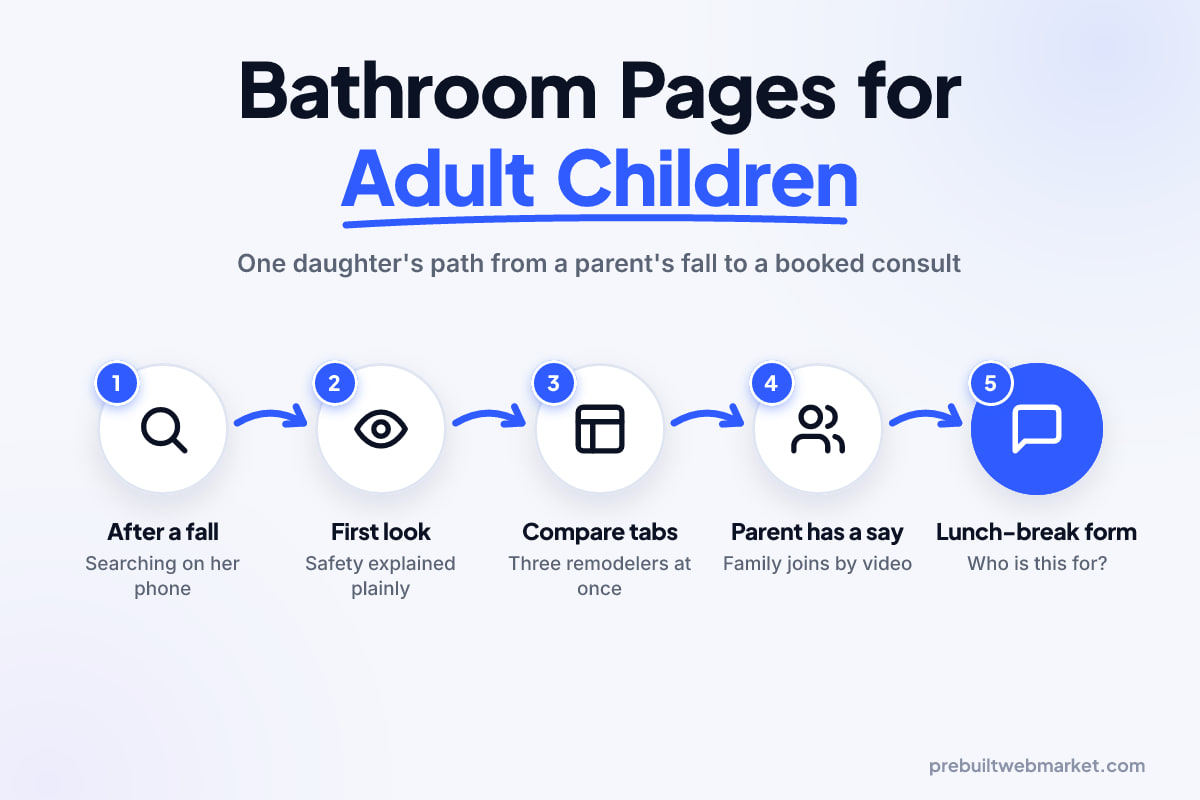
- Meet Rachel and her father, an illustrative family
- The search starts with a fall, not a remodel
- The first five seconds on an aging in place bathroom website
- Safety features explained like a person, not a catalogue
- Comparing three remodelers in three tabs
- The father has a say
- Making contact on her lunch break
- What happens after she presses send
- Start dates, and the weeks without a usable shower
- What to leave off the accessibility page
- What the journey tells you to fix on your bathroom remodeling website
- Your next step
- Frequently asked questions
An aging in place bathroom website is usually read first by someone who will never shower in that bathroom: a grown son or daughter who has just learned that a parent slipped getting out of the tub. The page has to earn that person’s trust in minutes, explain safety features plainly, treat the parent with respect, show how the parent takes part, and say how soon the work can start.
This matters more for bathroom remodelers than for almost any other trade, because the person searching and the person deciding are different people, often in different towns. To show what that means in practice, this article follows one hypothetical family from the first search to the finished shower, and stops at each point where most bathroom remodeling websites lose them.
Meet Rachel and her father, an illustrative family
Rachel and her father are not real customers. They are an illustrative composite, built to make each step concrete. Walt is 81 and lives alone in the two-story house he has owned for forty years. His only bathroom with a shower is upstairs, with a tub-and-shower combination, a sliding glass door on a track and a towel bar he has been using as a handhold for years.
Last Sunday the towel bar came out of the wall. Walt went down on the tub edge, bruised his hip and spent an hour on the bathroom floor before he reached his phone. He is fine. Rachel, who lives ninety minutes away, is not.
What Rachel is thinking
Rachel is thinking about the next fall, not about tile. Her questions run roughly: what makes a bathroom safer, does Dad need the whole room ripped out, what will it cost, how long will it take, will he agree, and can she organize it from ninety minutes away. The website either answers each one or sends her to another tab.
What Walt is thinking
Walt thinks he slipped once and his daughter is overreacting. He does not want grab bars that make his house look like a hospital, or strangers deciding what happens in his home. He will not search for anything; he will look at whatever Rachel sends him, probably on a tablet.
The search starts with a fall, not a remodel
The first search is about safety, and the word “remodel” is often missing from it. Rachel types things like “make bathroom safe for elderly parent”, “replace tub with walk-in shower for senior”, “grab bar installation near me” and “aging in place bathroom contractor”. Late at night she may ask an AI assistant “what should I change in my dad’s bathroom after a fall?”
Which pages the search should land on
A home page full of marble vanities and spa language does not answer any of those searches. Rachel needs to land on a page that is clearly about safer bathrooms. For most remodelers that means three pages working together:
- An accessible bathrooms page that explains the whole approach to aging in place work in plain words.
- A tub-to-shower conversion page, because swapping a tub for a low or curbless shower is the single most common request after a fall.
- A grab bars and quick safety fixes page, if you do small jobs, because some families want something done this week while they think about the bigger project.
Each page should open with a sentence that matches the question behind the search: “Thinking about a safer bathroom for a parent? Here is what we change, how long it takes and how your parent stays in charge.” That tells Rachel, a search engine and an AI assistant what the page is for.
Where most bathroom remodeling websites lose Rachel here
Most sites mention accessibility as one line in a list of services, with no page of its own. Others have a “Senior Bathrooms” page full of stock photos of smiling models, which reads as a sales funnel rather than help. Rachel closes the tab.
The first five seconds on an aging in place bathroom website
The first five seconds have to tell Rachel that you do this work often and that you will treat her father well. She is reading on a phone in a parking lot between a work call and the school run.
What the first screen should say
Keep it to four elements. A headline that names the outcome (“Safer bathrooms, so you can stay in your home”). One supporting line that names the main jobs: tub-to-shower conversions, curbless showers, grab bars, comfortable seating. A photo of a finished bathroom that looks like a nice bathroom, not a clinic. And a clear button to book a consultation, with a phone number beside it.
Look at the tone of the Tidewell Walk-In Baths demo from Sarasota for one way to strike that balance: warm colors, plain promises and safety as the point, without making the person using the room feel old.
Words that make Walt refuse
Rachel is going to forward this page. If the first thing Walt reads is “elderly”, “frail”, “fall risk” or “senior living solutions”, he will decide the project is about his decline and say no. Words like “safer”, “easier”, “built to last as long as you live here” and “for every stage of life” describe exactly the same work.
Making the text readable for both of them
Rachel reads on a small phone in daylight; Walt reads on a tablet with tired eyes. The W3C’s guide to older users and web accessibility lists the age-related changes that affect web use, including reduced contrast sensitivity, near focus and fine motor control, and says sites that meet existing accessibility standards are more usable for older people too.
Two of those standards matter most here. The W3C’s explanation of the minimum contrast requirement sets a ratio of at least 4.5:1 between normal body text and its background, and 3:1 for large text. That rules out pale grey type on a cream background, which is one of the most common choices on spa-style bathroom sites. The W3C’s guidance on resizing text asks that text can be enlarged to 200% without the page breaking, which matters when Walt pinches to zoom on a tablet.
Safety features explained like a person, not a catalogue
The section that wins Rachel’s trust is the one that explains each safety feature by what it prevents. She does not know what a linear drain or a pressure-balancing valve is, and she should not need to. She needs to know what each change does for her father, and whether he needs it.
Write each feature as a problem and an answer
Organize the features by the moments when people get hurt in a bathroom, because that is how Rachel is thinking. Each entry needs the moment, the change and a single line on when it is not needed:
- Stepping over the tub edge. Replace the tub with a shower that has a low threshold or none at all (a curbless shower). Not every bathroom can take a fully curbless floor; say that it depends on the floor structure and that you check at the consultation.
- Reaching for something to hold. Fit grab bars into solid backing, at the entry, inside the shower and beside the toilet. Explain that a towel bar is not a grab bar, which is exactly what failed in Walt’s case.
- Standing to wash. Add a built-in or fold-down shower seat, so washing can happen sitting down.
- Turning round to rinse. Fit a handheld shower on a slide bar, so the water comes to the person rather than the other way round.
- Sudden hot water. Explain anti-scald or pressure-balancing valves in one sentence: they stop the water turning dangerously hot when someone flushes a toilet elsewhere in the house.
- Slipping on a wet floor. Describe slip-resistant floor tile and why smaller tiles with more grout lines can give feet more grip.
- Getting up from the toilet. Mention comfort-height toilets and a grab bar or support rail beside them.
- Finding the bathroom at night. Low-level lighting and a light switch reachable from the doorway.
Honest trade-offs on walk-in tubs
Rachel will see ads for walk-in tubs, so answer honestly. A walk-in tub lets someone sit and soak without climbing over a high wall, but the person usually has to sit inside while the tub fills and drains, and the door has to close before the water goes in. For someone who mainly wants to wash safely, a curbless or low-threshold shower with a seat is often the better fit. For someone who soaks for pain relief, a walk-in tub may be right. Saying that plainly makes you the remodeler who tells the truth, which is the one Rachel wants.
Avoid the vocabulary trap
Terms like “universal design”, “ADA bathroom” and “zero-entry” mean different things to different people. “ADA” in particular is a legal term with its own published technical standards, so do not use it as a casual synonym for “safer” unless you build to those measurements and can say so. Describe the features instead: name the option, say what it does, say who it suits. Our guide to explaining cabinet refacing versus replacement uses the same approach for kitchens.
Comparing three remodelers in three tabs
Rachel will compare you with two or three other companies before she calls anyone, and the comparison is about trust more than price. She is looking for signs of who will be careful with her father.
Proof that you have done this exact job
A general gallery of luxury ensuites does not help. She needs to see tub-to-shower conversions, curbless showers and grab bars that look good. Tag projects so she can filter to accessible bathrooms, and for each one say what the homeowner needed, what you changed and how long the bathroom was out of use. Our guide to building portfolio filters for renovations covers how to tag projects so a visitor can find the relevant ones quickly.
Before-and-after photos work especially well here, because the “before” is the bathroom Rachel recognises: the tub with the sliding door, the towel bar, the high step. Only use photos of your own work, and ask the homeowner’s permission before publishing anything taken in their home.
Who is coming into the house
Rachel’s next worry is who will be in her father’s house. Show the people: a photo and a sentence about your designer and your lead installer, how long they have been with you, and whether the same crew sees the job through from start to finish.
State your licence and insurance plainly and tell the reader how to check them. Licensing rules vary by state and city, so name the kind of licence you hold and point to the state body that issues it, rather than writing something vague like “fully licensed and insured” with nothing behind it.
If anyone on your team holds a recognised aging-in-place or accessibility qualification, say what it is and what it involved. Do not invent or inflate credentials; families sometimes look them up.
Where price fits
Rachel will want to know whether this is a $3,000 job or a $30,000 one. A fixed price rarely works, but ranges by type of job help her prepare her father, and her siblings, for the conversation. Explain what moves the price: moving plumbing, the floor structure under a curbless shower, wall repairs behind old tile and the fixtures chosen. If you offer financing, say so and link to the details. Our Indiana bathroom remodeling website guide covers how to present pricing and financing on the wider site.
The father has a say
The page that shows how the parent takes part in the decisions is the one most bathroom remodeling websites are missing. Rachel’s biggest worry is not cost; it is getting her father to agree. Walt’s biggest worry is losing control of his own home. A short section addressed to both of them solves both problems.
Write a short section for the homeowner
Add a few lines written directly to the person who will use the bathroom: “It’s your home and your bathroom. At the consultation we ask how you use the room now, what you find hard and what you want to keep. Nothing is decided without you.” Rachel can forward that page to Walt, and he will read it as an invitation rather than a plan made behind his back.
Show how the consultation works with family
Explain the consultation step by step, with the family in mind:
- Who should be there. The homeowner, always. Family members are welcome in person or by phone or video call.
- What you look at. How the homeowner gets in and out of the shower today, where they reach for support, the floor, the plumbing and the doorway.
- What you ask. Whether they use a walker or cane, which hand is stronger, whether they prefer to sit or stand to wash and whether anyone helps them bathe.
- What happens next. A written proposal sent to the homeowner, and to the family members they choose, within a stated number of days.
Step 3 is how a good remodeler decides where the grab bars and seat go, and saying it shows Rachel you see her father as a person, not a floor plan.
Making contact on her lunch break
Rachel makes contact in a gap between other things, so the form has to work for someone booking on behalf of somebody else. Most bathroom remodeling forms assume the person filling them in is the homeowner, lives at the address and will be at the consultation. None of that is true for Rachel.
Ask who the bathroom is for
Open with one question: “Who is the bathroom for?” with two options, “Me” and “A parent or relative”. If she picks the second, show two short groups of fields: one for her (name, phone, email, best time to reach her) and one for the homeowner (name, address, phone if he wants to be called directly). Then ask “Who should we call first?”
That one question saves a confused first call where your coordinator rings Walt, who has no idea who they are and hangs up.
Do not ask twice
If the homeowner lives with the person filling in the form, let them tick “Same address as mine” rather than typing it again. The W3C’s guidance on avoiding redundant entry in WCAG 2.2 says information a user has already entered in a process should be filled in automatically or available to select, and notes that re-entering details causes fatigue and errors. A family member filling in a form about a parent at the end of a long week is exactly the user it describes.
Buttons she can tap
Rachel is on a phone; Walt may be on a tablet with less steady hands. The W3C’s explanation of minimum target size for buttons and links sets a floor of 24 by 24 CSS pixels for targets, and mentions hand tremors and reduced fine motor control among the conditions it addresses. Treat that as the minimum for your radio buttons, checkboxes and submit button; a larger, full-width button is better on a phone.
Fields to leave off
Do not ask for a budget before you have explained prices, or for medical details at all; an optional “Anything we should know about how the bathroom is used?” box is enough. Skip the CAPTCHA that asks her to pick out traffic lights in a parking lot. Each of these is a reason to put the phone down.
What happens after she presses send
What happens in the next hour decides whether Rachel books with you or keeps searching. The silence after pressing send is where most bathroom remodelers lose families.
The thank-you screen
The confirmation screen should say exactly what happens next, in plain words: “Thanks, Rachel. We will call you within one business day, before 6pm if possible. We will not call your father until we have spoken to you.” Then give her the phone number in case she would rather call now, and a link to the consultation page she can forward to Walt.
The first email she can forward
Send an email she can forward to her father and siblings unedited: who will call, what the consultation involves, how long it takes and the printable summary. Write it for people who have never heard of you, because they will read it.
The first call
The first call should mainly be listening. Your coordinator should confirm who the homeowner is, who should be at the consultation, whether Walt wants his own call before anyone visits, and whether anything urgent needs doing this week. If you promise to call Walt, do it, and tell Rachel when you have.
If you handle many enquiries, a CRM (customer relationship management software) that keeps both contacts on one record, sends the confirmation text and reminds your coordinator to follow up stops a family enquiry slipping through. Our GoHighLevel CRM setup service is one way to do that; a shared calendar and a disciplined coordinator is another.
Start dates, and the weeks without a usable shower
How soon you can start and how long the bathroom is unusable are, for this family, the most important numbers on your website. Rachel may be arranging a stay with her or visits from a caregiver, and she cannot plan around “we’ll be in touch about scheduling”.
Say how soon, in honest ranges
Give the typical timeline from first call to consultation, from consultation to written proposal, from signed proposal to start date and the number of working days the room is out of use for each type of job. A grab bar installation, a tub-to-shower conversion and a full accessible remodel have very different timelines, so give each its own line. Use ranges you actually hit, and update them when your diary fills up.
Offer something for this week
Many families need something safer now and something better later. If you can fit properly anchored grab bars or a handheld shower within days, while the full remodel is designed and booked, say so on the page. It turns “we will think about it” into “let’s start with this”, and it means the first job you do in the house is a small one that earns trust.
Where will he wash in the meantime?
If the shower is out of use for a week or more, say so, and say what families typically arrange: a second bathroom, a stay with relatives or a visit to a gym or community centre. If you can phase the work so a toilet stays usable throughout, say that too. Rachel will plan around these facts, and she will remember who told her the truth.
What to leave off the accessibility page
The best aging in place page is shorter than most, because what you leave off matters as much as what you put on. Cut these:
- Clinical stock photos of hospital-style rails, wheelchairs and models in dressing gowns. Use your own bathrooms.
- Fear-led headlines about fall statistics and “the next accident”.
- Pop-ups and autoplaying video, which cover or bury the text for a reader already struggling to see it.
- Countdown timers and “limited time” offers. A family making a careful decision reads these as pressure.
- Promises about funding, such as “Medicare may cover this” or “get it paid for”, that you cannot stand behind. Say that some families look into veterans’ benefits, local programs or tax advice, and suggest they check with those bodies directly.
- Product brand lists with model numbers in place of an explanation of what each feature does.
What the journey tells you to fix on your bathroom remodeling website
Rachel’s journey points to a short list of fixes, and most of them are about words and structure rather than design. Work through them in this order.
A one-evening audit
Open your own site on a phone and read it as a worried son or daughter would:
- Search for “safer bathroom for parent” plus your town. Does a page about this work appear, and does its first sentence answer the search?
- Read the first screen of your accessibility page. Does it name the work, show a real bathroom and offer a clear way to book?
- Read every safety feature. Is each explained by what it prevents, in a sentence a non-builder understands?
- Search the page for “elderly”, “frail” and “ADA”. Rewrite or remove each one you cannot justify.
- Fill in your own form as a daughter booking for her father. Could you say who the bathroom is for, and who to call first?
- Press send. Read what you see and the email you receive. Could you forward it unchanged?
- Find your start dates and how long the shower is out of use. If you cannot find them, neither can the family.
Fix in this order
Start with the form and the confirmation, because they cost the least and lose the most families. Then rewrite the safety features in plain words, then add the homeowner section and consultation steps. Photos, tags and the printable summary come last.
When the whole website is the problem
If your current site cannot hold a dedicated page, a two-contact form or readable text without a rebuild, it may be time for a new bathroom remodeling website rather than a patch. You can browse our bathroom remodeling website designs, which include accessibility pages and a free design consult form. A prebuilt bathroom remodeling website on our Launch plan is $97 a month with a $297 setup and launches within 7 business days of receiving your content; the full plan pricing shows what each tier adds. If you are weighing a builder, a freelancer or an agency instead, our comparison of website options sets out when each one makes sense.
Your next step
Start with the audit above, tonight, on your own phone. If you would rather talk it through, book a free 45-minute call and we will look at your aging in place page with you, show the bathroom remodeling demos and help you decide whether to fix your current website or start fresh. Either way, write it for Rachel, and make sure Walt would say yes.
Sources
- W3C Web Accessibility Initiative: Older Users and Web Accessibility
- W3C: Understanding WCAG 2.2 Success Criterion 1.4.3 Contrast (Minimum)
- W3C: Understanding WCAG 2.2 Success Criterion 1.4.4 Resize Text
- W3C: Understanding WCAG 2.2 Success Criterion 2.5.8 Target Size (Minimum)
- W3C: Understanding WCAG 2.2 Success Criterion 3.3.7 Redundant Entry
Frequently asked questions
Should my bathroom remodeling website have a separate aging in place page?
Yes, if you do this work. A dedicated page lets you explain safety features, the consultation and timelines for families without cluttering your general remodel pages, and it gives search engines one clear page to show for searches about safer bathrooms for parents. Link it from your main navigation under a plain name such as "Accessible Bathrooms" or "Safer Bathrooms".
Is it fine to use the word "elderly" on an aging in place page?
Use it sparingly, if at all. Many older homeowners do not see themselves as elderly and will be put off by the word, and they often read the page their children send them. Words like "safer", "easier", "stay in your home" and "for every stage of life" describe the same work without labelling the person who will use it.
Should I call my bathrooms "ADA compliant" on my website?
Only if you build to a specific published standard and can show the measurements. "ADA" is a legal term with its own technical standards, and families may read it as a guarantee you did not mean to give. It is usually clearer and more honest to describe the features themselves: grab bars fixed to solid backing, a curbless entry, a fold-down seat and a handheld shower.
Can my website say whether insurance or Medicare will pay for the remodel?
No. Only the homeowner's insurer, plan or program can say what it covers. Your website can say that some families look into veterans' benefits, local programs or tax advice, and suggest they check with those bodies directly. Avoid any wording that promises funding, because a family that budgets around a promise that falls through will blame you.
How should my contact form handle a daughter booking for her father?
Start with a question such as "Who is the bathroom for?" with options for "Me" and "A parent or relative". If the second is chosen, ask for the homeowner's address and name separately from the person filling in the form, and ask who should be called first. Do not make them type the same address twice if the homeowner lives with them.
What should an aging in place page say about timelines?
Say how long it usually takes from first call to consultation, from proposal to start date and how many days the bathroom cannot be used during the work, in honest ranges. Families arranging care need these dates more than any other fact. If you can fit grab bars or a handheld shower quickly while the full remodel is planned, say so.
Do I need video on my aging in place bathroom page?
It helps, but it is not required. A short clip of a curbless shower being used, or of your designer explaining a consultation, answers questions photos cannot. If you add video, keep it short, add captions and do not let it autoplay with sound. Good photos and clear text matter more than any video.